UI Configurations
The SDKs & Onboard links supports the following UI & text configurations:
Text Customisations
Any text displayed on the SDK screens can be changed to suit your requirements.
Supported Languages:
- You can configure the SDK to support text of multiple languages as long as the languages have a two-letter code ISO 639-1 code (or the alpha-2 language code).
- By default, the SDK uses the device’s language to show the correct text to the user. You can override this by providing the language code as an input during integration.
The following is a sample configuration code illustrating this feature.
- React Native
The following code sample contains an optional configuration parameter defaultLangCode under the configDictionary object for the language configuration.
The configDictionary object in this context is identical to the one used as the default configuration during the initial SDK setup.
{
    import { NativeModules } from 'react-native';
    const { Hyperkyc } = NativeModules;

    var configDictionary = {};
    configDictionary["defaultLangCode"] = "vi"; // Optional parameter for language

}
UI Customisations
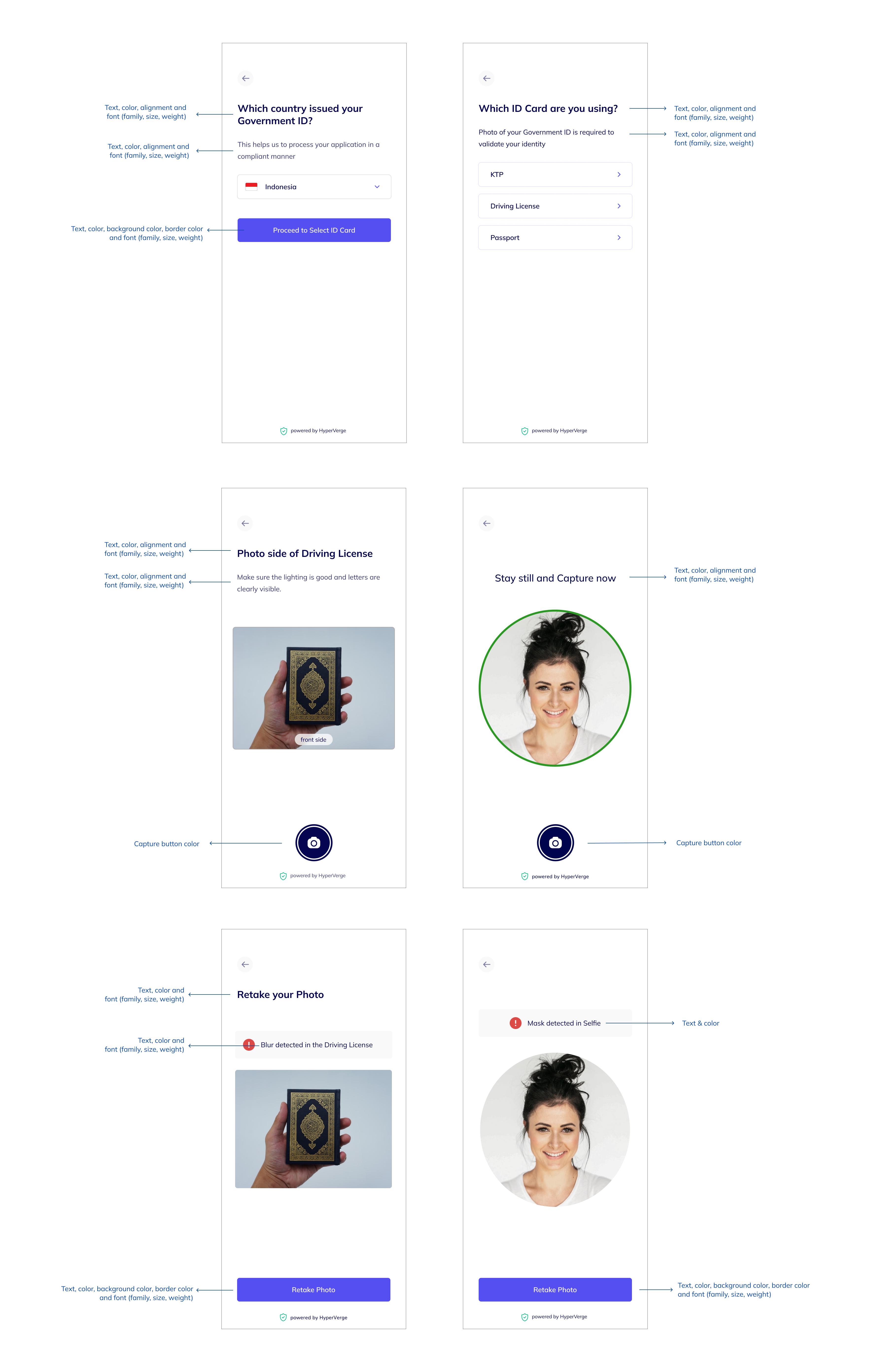
Based on the element, the following customisations are possible:
Colors
- Primary & secondary buttons
- Capture button
- Title texts
- Description texts
- Error text in retake screen
Font family, weight, size & alignment
- Primary & secondary buttons
- Title texts
- Description texts
- Error text in retake screen
Border Radius
- Primary & secondary buttons
Below diagram summarises all the customisations:
How to enable these customisations
- Currently, these customistions have to be enbled through a configuration by our Integration engineers. Please reachout to us if you need any UI or text customisations
- We will soon add this functionality to the dashboard