Workflows
What are workflows
A workflow is a series of steps configured for an end user to complete their onboarding journey.
HyperVerge provides several out-of-the-box workflows optimised for various business use cases across geographies. You can either select an exisiting workflow or customise a new workflow to suit your business requirements.
To use a workflow to onboard your users, you can:
- Integrate our low code SDKs, or
- Share our onboard links with the users directly without writing any code.
Parts of a Workflow
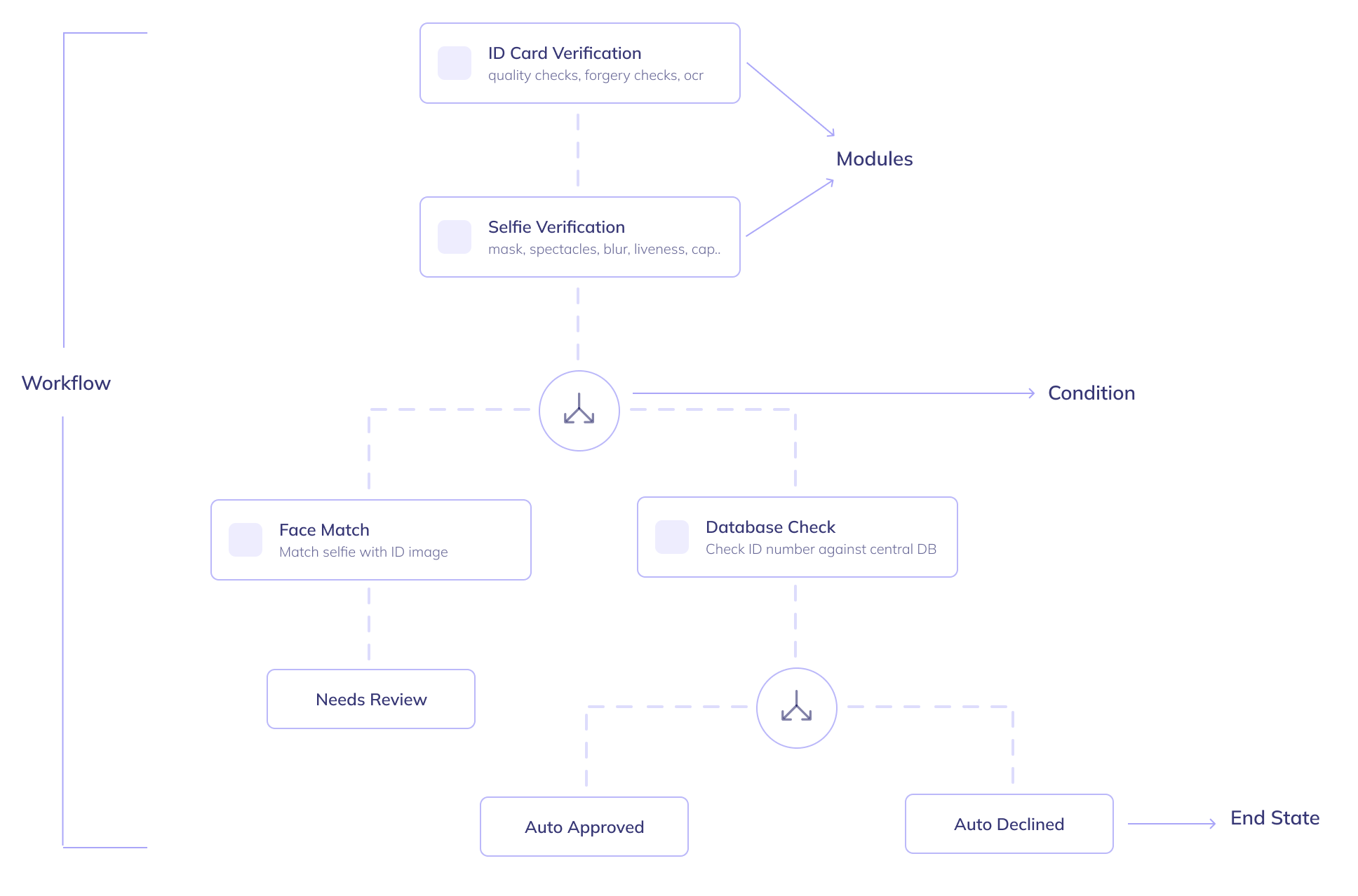
A workflow consists of 3 components:
1. Modules:
Modules are the building blocks of a workflow.
Each module has a unique functionality, such as 'ID card validation' or 'selfie validation'. Based on your requirements, you can build your workflow with a relevant set of modules in a set order to optimise for your business metrics.
You can read more about modules here: Introduction to Modules.
2. Conditions:
Conditions are used to control the user's onboarding journey flow based on certain rules. Each branch created by a condition can either have more modules or finish with an end state.
Example:
- If ID number is available then perform a database check. Else trigger ID card validation module.
- If the ID card validation module does not detect ID Card then
auto-declinethe user. Else, continue toselfie_validation.
3. End State:
Every single branch in a workflow should end in an end state. These are one of auto approved, auto declined or needs review.
If an application reaches any of these states, the application's status is changed accordingly.
You can learn more about application statuses under Understanding Application Statuses.