Key Concepts
Workflows
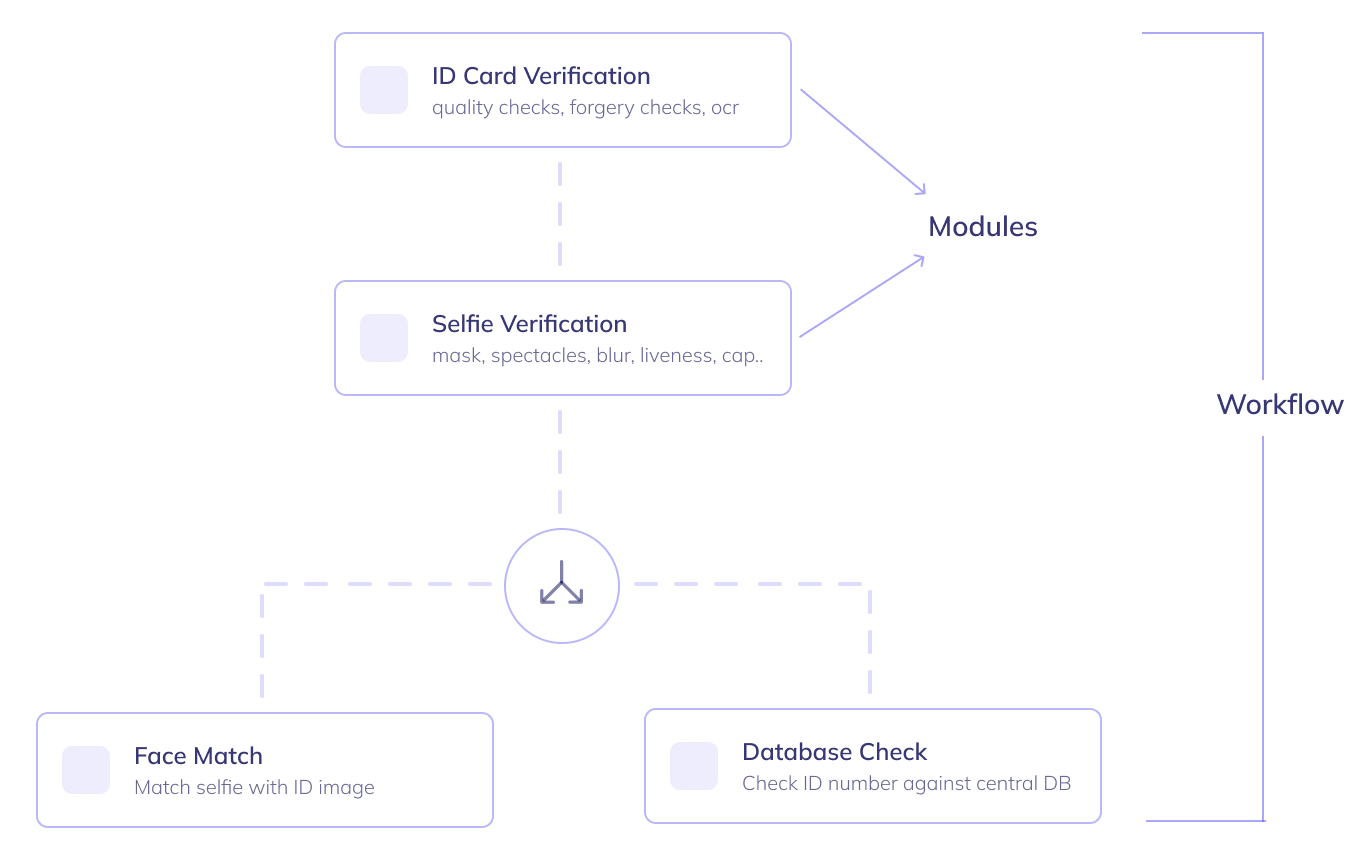
A workflow is a series of steps an end user(and their application) goes through, in order to complete their onboarding.
HyperVerge provides several out-of-the-box workflows optimized for various business use cases across geographies. You can either implement any of these workflows or customize them(no-code) to suit your business needs.
You can integrate our low-code SDKs or directly share our onboard links with your users to implement a verification workflow.
Modules
Modules are the building blocks of a workflow.
Each module has a unique functionality (such as 'ID card validation' or 'database check'). Based on your requirements, your workflow can be built with the appropriate set of modules placed in an order that optimizes business metrics.
Applications
An application is essentially, a single journey of an end user through a workflow.
An application is automatically created by HyperVerge every time a user starts onboarding either on your app(through the SDK) or via an onboard link. You can either view applications on the HyperVerge dashboard (also known as the 'Audit Portal ') or fetch the details from your backend using the Results API.
SDKs
SDKs are the front-end frameworks that can be used to integrate any workflow of HyperVerge into your iOS, Android or Web app. The SDKs can be integrated into your app with just 10 lines of code.
Onboard Links
If you do not want a front end integration, you can still verify your users by sharing the HyperVerge onboarding link with them.
The onboard links are hosted on a HyperVerge server and can implement any workflow of your choice. It internally uses our JavaScript SDK and supports all corresponding customizations.
Learn more about Onboard Links
User Roles and Permissions
The user roles and associated permissions configured through the HyperVerge dashboard (or the 'Audit Portal ') play a crucial role in ensuring that invited members or users only have access to the resources necessary for their roles and responsibilities.
Please ensure that you are aware of all the user roles and permissions before inviting members to the dashboard.